Comply with Verifactu
on Stripe
The invoicing software built for Stripe: we generate your Verifactu invoices, process them with the Spanish Tax Agency and send them to your customers.











How it works
We adapt to how you run Stripe,
so you keep working as always.
Simply connect your Stripe account to Finseed and every payment gets its official invoice, registered with the Spanish Tax Agency. All on autopilot.
We listen to your transactions on Stripe
We detect every movement and react in real time. No code, APIs or webhook setup.
We check everything is right before invoicing
We detect inconsistent tax data and warn you before issuing the invoice, so you can fix it.
We invoice and register with the AEAT
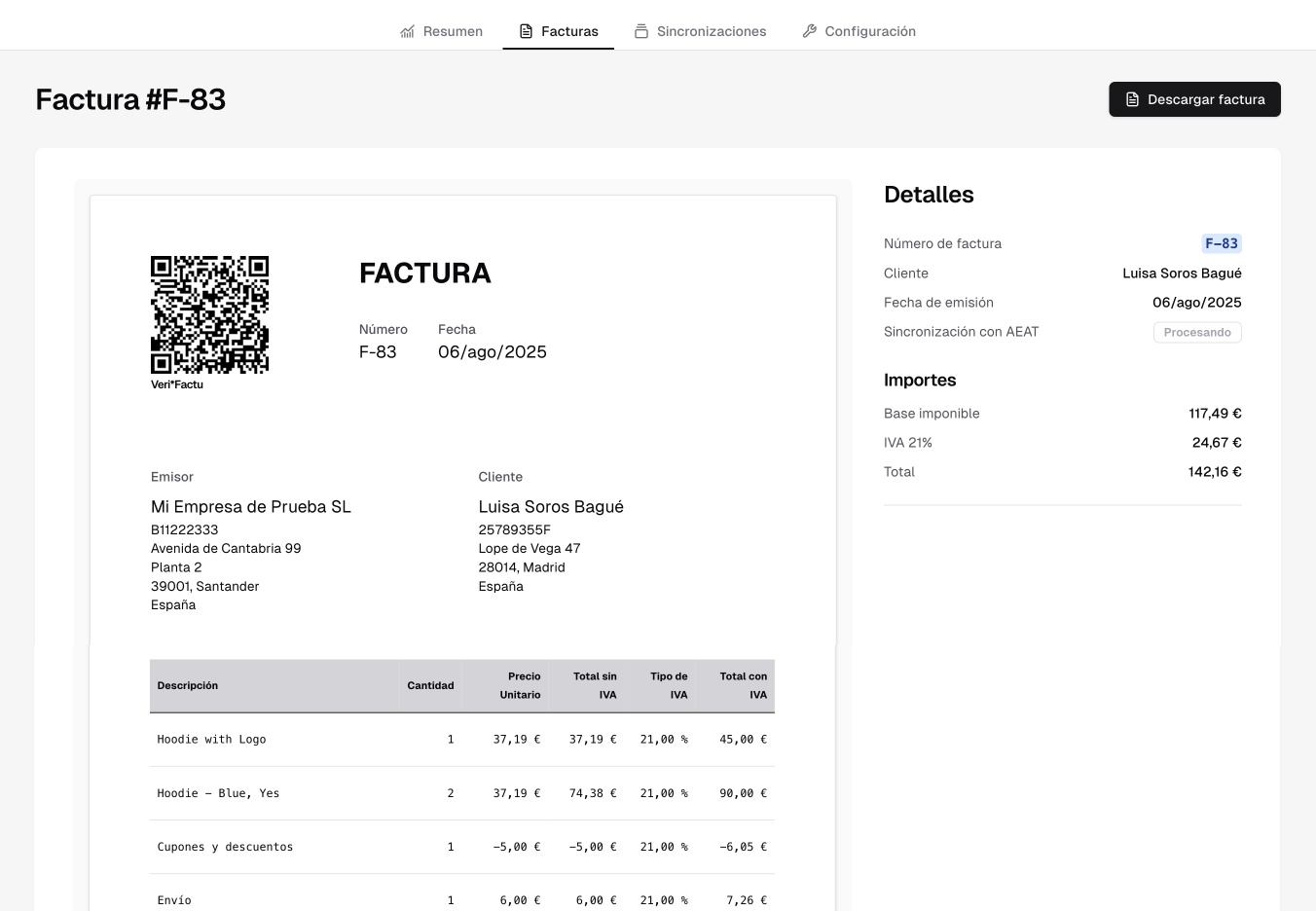
We create the invoice as a PDF and register it with the Spanish Tax Agency, with its QR code and digital fingerprint.
We send the invoice to your customer
Optionally, we send a personalised email with your brand.
Use cases
However you charge in Stripe, we have you covered
Stripe native invoices
Invoices generated in Stripe are not valid for Verifactu. Finseed generates the official copy, keeping the customer data, lines, taxes and totals. If you void the invoice or issue a credit note, we generate a corrective invoice.
Subscriptions
Every renewal gets its own Verifactu invoice, month after month, with nothing to do on your side. Stripe remains your payment engine and subscription manager.
Checkout provided by Stripe
If you charge through the Checkout page provided by Stripe, we create an invoice that keeps all the data intact. Also, if you ask for the company name and tax ID, we can issue full invoices to your customers.
Payments from your website or mobile app
Full compatibility with Stripe integrations built on Payment Element, the mobile SDK or payments created from your server. You can apply taxes directly to the transaction or send them to us in the metadata.
Always apply taxes correctly
The total we invoice matches the amount charged to the cent. We use the taxes set in Stripe to avoid any mismatch.
Use Stripe Tax or your own Stripe tax rates
We work with Stripe's automatic tax calculation (Stripe Tax) and with tax rates applied manually in Stripe.
Use the VAT exemption on EU B2B sales
On B2B sales within the EU, let Stripe collect the VAT number and complete the payment without tax. We will issue the invoice without VAT and with the reverse charge mention.
Apply taxes manually with metadata
If you calculate taxes manually, send them in the metadata so we can apply them to your invoices.
Handle sales to the Canary Islands correctly
Stripe Tax does not calculate taxes in the Canary Islands, Ceuta or Melilla. Our system handles these cases so you can issue your invoices without errors.
Validate taxes before they are applied through the API
Before applying taxes manually to a payment, use our REST API to check that the invoice can be issued. This way you avoid invoices rejected by the Spanish Tax Agency.
Handle refunds automatically


Full and partial refunds
Refund the whole payment and the credit note cancels the invoice. Refund part of it and the credit note reduces each line in proportion. Each refund gets its own credit note, even if you make several on the same payment.
Multi-currency support
Charge in dollars, pounds or any other currency Stripe accepts. The invoice is issued for the euro amount Stripe settles.
Give your customers a portal to download their own invoices
Stripe's native portal does not work for Verifactu. We provide an alternative one so your customers can download their invoices without any work on your side.
Invoicing software tailor-made for Stripe users
Test your integration with a Stripe sandbox account
Connect a Stripe sandbox to your free test environment and check every invoice before you go live.
Charge in any currency
If you charge in other currencies, the invoice is issued for the actual euro amount Stripe settles.
Choose when to issue the invoice
Issue the invoice as soon as Stripe finalizes it, or only once it has been paid. You pick the mode that fits your flow.
Connect multiple Stripe accounts
All inside one Finseed account. Each one keeps its own settings and invoice series.
Customize your invoices
Add your logo and adjust the template with a live preview.
Issue invoices in your customer's language
Spanish or English by default, and German or Portuguese for customers in Germany, Austria and Portugal when you switch them on. The PDF and the email your customer receives come out in that language.
Create standalone invoices straight from the app
For what you don't charge through Stripe. They are registered with the Spanish Tax Agency like the automatic invoices.
Use custom invoice series
Each integration has its own series for full, simplified and corrective invoices. Choose the prefix, the digits and whether the number carries the year.
Export the data for your accountant
Download an Excel file with the tax impact of each invoice, and all the PDFs in a single ZIP file. Both follow your active filters.
Access our REST API for free
Create invoices, check their status and download their PDFs from your own code, with separate test and live keys.
“Very simple and practical, automatic tax filing. Lets you generate manual invoices too, and it integrates perfectly with our store. They handle every doubt quickly and adapt the system to your needs. It was a great call to trust them for our Verifactu compliance.”

“A modern, reliable app, very well integrated with our store. Support is flawless. An ideal choice, highly recommended for Verifactu compliance.”

“Finseed was the only solution that really convinced us: it generates invoices from orders automatically, with no manual work. They respond fast, listen to feedback, and it shows that they keep improving the product.”

Clear pricing, no surprises
Try it for free in our test environment. Forever.
Essentials
Most popularIdeal for small businesses
- Includes 250 invoices per month.
- Each additional invoice €0.10
- Connect multiple stores or Stripe accounts
Pro
Enjoy our most desired features
- Includes 1,000 invoices per month.
- Each additional invoice €0.04
- Connect multiple stores or Stripe accounts
Ultra
Maximum flexibility for high-volume businesses
- Includes 5,000 invoices per month.
- Each additional invoice €0.02
- Connect multiple stores or Stripe accounts
Frequently asked questions
Don't see the answer you're looking for? Get in touch
How exactly do Stripe and Finseed connect?
Connecting Stripe and Finseed is very simple: when you start the integration we redirect you to Stripe to authorize access, in a process much like connecting a Google account to another app. In a couple of clicks your account is connected, giving us read-only access to the information we need to generate your invoices. You don’t install anything or write any code.
From then on, Finseed automatically listens to the charges, invoices and refunds happening in your Stripe account and generates the matching Verifactu invoice, signed and submitted to the AEAT.
For more information you can see the guide to connect your account.
I currently issue Stripe's own invoices directly. Is your software compatible with them?
Yes, that’s exactly Finseed’s Stripe Billing mode. When you use the invoices or subscriptions Stripe generates, we capture each invoice as soon as Stripe finalizes it (or once it’s paid, you choose the moment) and generate its equivalent Verifactu invoice with all the fiscal data, signed and submitted to the AEAT. We don’t replace your Stripe invoicing: you keep issuing your invoices exactly as before, and Finseed adds the fiscally valid document behind it that Stripe doesn’t generate. To avoid your customer getting two invoices, we recommend turning Stripe’s into proforma documents; we walk you through it. How Finseed works with Stripe Billing.
I only use Stripe to charge my customers, I don't use Stripe's invoices. Can you create Verifactu invoices from the charges and refunds?
Yes, that’s Finseed’s Stripe Payments mode, built exactly for this. As soon as a charge completes through Checkout, Payment Links or your API integration, we gather data from the customer and the payment (the checkout itself, their profile, or metadata you define) and generate the matching Verifactu invoice without you needing to turn on Stripe Billing. If there’s a later refund, full or partial, we automatically generate the credit note. How Finseed works with Stripe Payments.
Why don't Stripe's own invoices comply with Verifactu?
Stripe is an excellent payment gateway, but it isn’t invoicing software certified for Verifactu: the invoices it produces on its own don’t include the signature of the billing record, the chaining, or the submission of the record to the AEAT that the regulation requires. Issuing directly from Stripe, without going through a compliant invoicing system, can be considered non-compliance. With Finseed you keep charging with Stripe exactly as before and we take care of issuing and registering the official invoice. How the Stripe integration works.
Do you have a test environment with no risk or cost?
Yes. Finseed’s test environment is free and has no time limit: connect your Stripe account (you can use its test mode), issue as many invoices as you want exactly as in production, and check the result (PDF, fiscal data, simulated AEAT submission) with total freedom. Nothing you generate in testing reaches the tax agency, and you don’t need a credit card to start. When you’re ready, you switch to the live environment without losing your setup. How to go from the test environment to live.
Do you handle refunds too?
Yes, fully automatically. Every refund you process in Stripe, whether in Stripe Billing or Stripe Payments, generates its credit note and reports it to the AEAT without you doing anything. This includes partial refunds: in Stripe Payments we distribute the amount proportionally across the payment’s lines, and in Stripe Billing a partial credit note corrects only the affected amounts. If you make several refunds on the same payment, each one generates a new credit note that supersedes the previous one with the accumulated amount, and the AEAT keeps the full trail. Refunds and credit notes in Stripe.
Does it work if I charge in other currencies, like dollars?
Yes. Unlike other integrations, you don’t need your business to work only in euros: Finseed supports Stripe payments in other currencies. The Verifactu invoice is always issued in euros, using the amount Stripe settles into your account when it’s charged, so for these payments we wait until the payment completes before issuing (that’s when that euro amount is set). We add the effective exchange rate between the original and settled amounts to the invoice footer so the conversion is transparent. The only requirement is that your Stripe account settles in euros, which already happens by default if your business is in Spain. Invoices in other currencies.
How is the customer's NIF captured and validated in Stripe?
We take the NIF from wherever Stripe stores it: the tax identifier on the Stripe invoice itself, the customer record, or the payment metadata, depending on the integration mode. If you captured the NIF in your Stripe Checkout, we use it directly. For customers without a Spanish NIF (for example with a passport), you can declare the document type and country through metadata. When the NIF is missing, Finseed doesn’t make up the data: it issues a simplified invoice if the amount allows it, or holds the payment and lets you know if you’ve turned on the always-complete invoice mode, exclusive to our Stripe integration and built for B2B businesses. How the tax identifier is captured.
How do you manage and apply the correct taxes? (VAT, intra-EU sales, OSS, exports, Canary Islands)
Finseed applies to each payment the tax rules that fit it based on who pays and from where: standard Spanish VAT in its different rates; reverse charge (no VAT) for EU businesses with a valid VAT number, validated against VIES; export exemption for sales outside the EU; and IGIC for the Canary Islands and IPSI for Ceuta and Melilla depending on the destination. For B2C sales to other EU countries we apply the OSS scheme based on your OSS registration: you tell us once whether you’re registered and, with that, every sale goes out with the right treatment. If an operation arrives with incomplete or inconsistent fiscal data (or we don’t know your OSS status), we hold it and warn you before issuing, instead of sending an incorrect invoice to the tax agency. See the supported tax types.
How does my customer get the invoice? Is there a portal for them to download it?
Every invoice we issue carries the Verifactu QR code in its header and the AEAT verification link. Finseed can email the invoice to the customer on your behalf automatically, and you also have the customer portal: a page hosted by Finseed that your customer reaches through a secure link, with no signup, to view and download all their invoices as PDFs whenever they want, including the Stripe invoices issued before Finseed. That way you stop getting emails asking you for the invoice. Customer portal and invoice download.
Can I void or correct an invoice that's already been issued?
Yes. You can correct an invoice (for a refund, an amount error or a data change), fix the customer’s name or NIF after it was issued, and void invoices, all from Finseed, always leaving the trail Verifactu requires: an invoice already sent to the AEAT is never deleted, it’s corrected with the matching document, and Finseed picks the right mechanism for each case (credit note, correction or void). Your numbering always stays correlative. How to void an invoice.
Besides the Stripe invoices, can I issue standalone invoices?
Yes. Finseed is more than a connector: you can issue standalone invoices directly from the dashboard, without needing a Stripe payment, with the same controlled numbering and the same submission to the AEAT. Useful for sales outside Stripe, bank transfers or any one-off invoice, something connectors that only invoice what goes through the gateway can’t do. How to issue standalone invoices.
How does Finseed compare with other Verifactu solutions for Stripe?
Finseed is complete invoicing software specialised in Stripe. Compared with a connector, it also covers what does not go through Stripe: standalone invoices, credit notes, a customer portal and an export for your accountant. Compared with an accounting suite or an API, it connects in a minute and runs in the background with no development. We compared five solutions, Finseed included, in a table where every feature links to its public documentation. Comparison of Verifactu solutions for Stripe.
Do I have to disable Stripe's invoices? Will my customers get two invoices?
The official invoice with fiscal validity is the one Finseed issues. If you use Stripe Billing, we recommend turning Stripe’s invoices into proforma documents (an informational document with no fiscal value) and disabling their automatic email, so your customer receives only the Verifactu invoice and there are no duplicates. It’s a one-time setting in the Stripe dashboard and we walk you through it step by step. With Stripe Payments it isn’t needed, because Stripe doesn’t generate invoices in that mode. How to avoid duplicate invoices.
I use Stripe's invoicing tool, but I only want to issue the Verifactu invoice when the customer pays, not when Stripe issues it. Is that possible?
Yes, you choose the exact moment in Finseed’s Stripe Billing settings: you can wait until Stripe marks the invoice as paid before issuing the Verifactu invoice, instead of issuing it as soon as Stripe finalizes it. This is useful if your flow often produces invoices that go unpaid and you’d rather not accumulate credit notes.
That said, the recommended option, and the one we enable by default, is the opposite: issuing as soon as Stripe finalizes the invoice, even if it isn’t paid yet. Verifactu requires the billing record to exist near real-time from the operation, so issuing immediately is what guarantees fiscal compliance with the AEAT from the first moment; if the payment later falls through, we generate the credit note automatically. Either mode reaches the same final result, only the timing changes. How to configure when the invoice is issued.
Do I need to provide you with a digital certificate?
No, never, not even when you go live. As colaboradores sociales de la AEAT, Finseed signs and submits your billing records with our own certificate. You only connect your Stripe account and start invoicing. This is a real practical difference from other tools, which ask you to install your own digital certificate on their platform or process a separate authorization with the AEAT.
Are you homologated or accredited by the AEAT?
In Spain there is no such thing as an “official homologation” for Verifactu software: no vendor can show you an AEAT homologation certificate, no matter what their website says. What the law requires is a declaración responsable (statement of compliance) from the software maker (RD 1007/2023), and Finseed’s is public: you can download it and send it to your accountant. We are also colaboradores sociales de la AEAT, the official status that lets us submit invoices on our clients’ behalf. If your accountant asks for “the certificate”, send them these two references: it’s exactly what they need to see.
Can I switch to Finseed mid-year without breaking my numbering?
Yes. You set up your series starting from the number you’re already at (for example, if your last invoice was F-2026-0341, the next one will be F-2026-0342), and numbering continues without gaps or duplicates. You don’t need to wait until January 1st to connect your Stripe to Verifactu. Configure your numbering series.
If I ever want to leave, can I take my invoices with me?
Yes, and whenever you want. Your invoices and your data are yours: you can export them at any time, even if you downgrade to the free plan, and you keep access to your history for inspections and for your accountant. Choosing an invoicing system shouldn’t be an irreversible decision, and we don’t want customers who are trapped: we want customers who stay because the product works. How to export your invoices.
How much does it cost? Can I try it before paying?
From €14.95 a month, with a genuine monthly subscription: you pay month to month and can cancel whenever you want, with no commitment and no annual payment upfront. Before you sign up anywhere, check the fine print: in this market it’s common to advertise a “per month” price and charge the full year upfront.
Every Verifactu invoicing feature is included on every plan. Each plan includes a monthly invoice volume; if you go over it, we never block you or move you to a different plan without warning: your invoices keep going out, with a small extra charge per additional invoice. See plans and pricing.
And yes, you can try everything before deciding: the test environment is free, doesn’t ask for a card, and lets you see exactly how your Verifactu invoices will look before you activate a paid plan. How the test environment works.